
Create fillable PDF forms with an online editor
Design the data-entry form and the finished document in one connected workflow. With AbcSubmit, you can collect structured answers online, add signatures, and create a polished PDF that is ready to download, share, print or archive.
Updated September 2026 · Test interactive PDFs in your required PDF reader

What is a fillable PDF form?
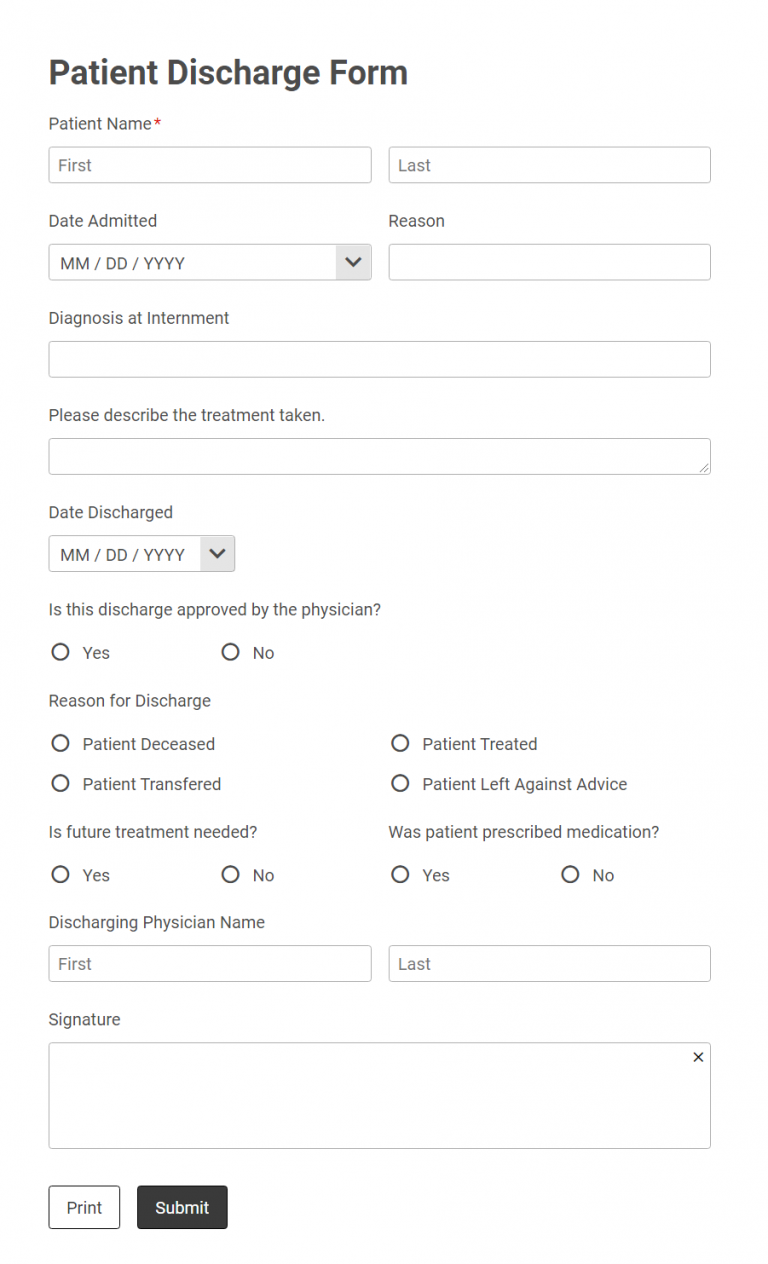
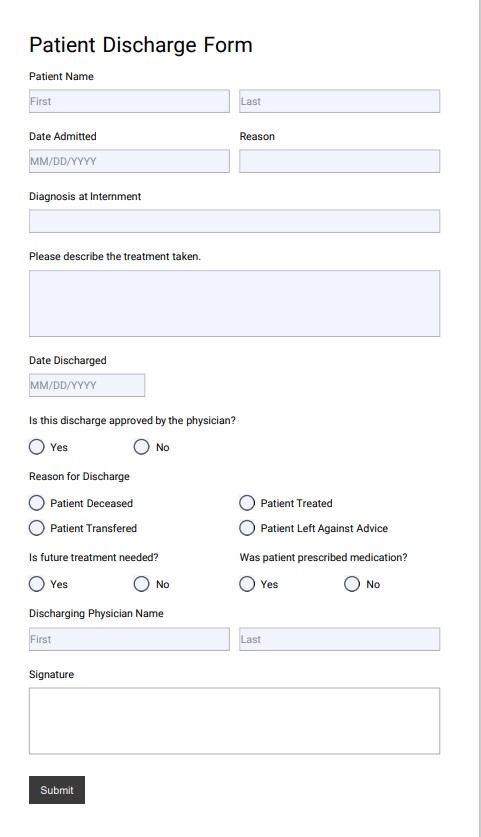
A fillable PDF is a document with interactive fields that a person can complete digitally. Depending on the design, those fields may include text boxes, dates, checkboxes, choice controls and signature areas. Unlike a normal web page, the document keeps a fixed visual layout that is familiar for applications, agreements, inspection reports and other records.
AbcSubmit connects that document experience with online data collection. Instead of manually copying answers into a PDF, you can create a browser-based form, validate the submission, and use the captured values in a consistent document workflow.
How to create a fillable PDF form
Build the form
Add the questions and fields needed to collect complete, structured information.
Design the document
Arrange labels, branding and submitted values into a readable PDF layout.
Publish and test
Complete realistic submissions and check field behavior, signatures and page breaks.
Share or automate
Download the PDF, deliver it to the right people or connect it to a workflow.

Build a form that collects clean data
The quality of a generated document begins with the form. Use clear labels, appropriate input types and validation so people can submit correct answers without guessing.
- Use short text for IDs and long text only when explanation is needed.
- Use dates, choices and validated numbers to reduce formatting errors.
- Break long processes into logical sections.
- Show conditional questions only when they are relevant.
- Explain the purpose of signatures, uploads and consent fields.
Turn submitted answers into a consistent PDF
A fixed output helps every application, report or agreement follow the same visual structure. Map collected values to the appropriate places, leave enough room for variable-length answers and test records with both short and unusually long content.
The generated file can serve as a downloadable copy, an email attachment, a printable record or part of an approval package. For a related overview, see how to design and export PDFs from AbcSubmit forms.

From blank fields to completed submission

Create
Add text, choices, checkboxes, dates and other fields required by the process.

Fill
Make documents available for completion on supported computers, phones and tablets.

Sign
Include a signature field where acknowledgement or authorization is required.

Submit
Collect the completed information and continue with storage or follow-up steps.
Online form vs fillable PDF
| Requirement | Online form | Fillable PDF |
|---|---|---|
| Phone-friendly entry | Responsive layouts can adapt naturally to narrow screens. | A fixed page may require zooming, depending on the design and reader. |
| Conditional questions | Well suited to showing only relevant fields. | Interactive behavior varies by PDF reader and document configuration. |
| Validation | Can catch missing or incorrectly formatted answers before submission. | Validation support can differ across readers. |
| Printing | Possible, but page breaks may vary. | Designed for a stable printable layout. |
| Archiving | Best retained as structured records or exports. | Useful as a familiar, fixed snapshot of a completed record. |
| Automation | Ideal for triggering integrations and workflows at submission time. | Often most effective when generated from structured form data. |
Add signatures with the right expectations
A signature field can help capture acknowledgement, approval or acceptance. Before using it for contracts, regulated documents or high-risk transactions, determine what evidence your organization must retain.
- State clearly what the signer is agreeing to.
- Keep the related terms available before the signature field.
- Record relevant submission and workflow information.
- Protect access to completed documents and underlying data.
- Confirm legal and compliance requirements for your jurisdiction.
A drawn signature is not every type of digital signature
The words “electronic signature” and “digital signature” can refer to different technical and legal mechanisms. Select the process that matches the sensitivity of the document and seek qualified advice when necessary.
Connect PDF documents to a real workflow
Send confirmations
Deliver an acknowledgement or document copy to the submitter and notify the responsible team.
Request approval
Route an application, purchase request or agreement through the appropriate reviewers.
Store structured data
Keep searchable values in a collection instead of relying only on attachments.
Explore multi-step approval workflows, the form builder with database storage, and ready-made workflow templates.
What can you create with a fillable PDF form maker?
Applications and onboarding
Produce consistent applicant, client or employee documents from validated answers.
Inspections and reports
Turn checklists, observations, photos and signatures into a printable record.
Orders and invoices
Create customer-facing documents from products, quantities, prices and contact details.
Consent and acknowledgements
Capture the relevant details, present terms and retain a signed copy.
Service summaries
Document completed work, parts used, follow-up actions and customer acceptance.
Internal approvals
Combine submitted data with a stable document that managers can review or archive.
Test before publishing your PDF form
- Complete every field with realistic sample data.
- Try very long names, addresses and paragraph answers.
- Check tab order, labels and keyboard navigation.
- Verify text contrast and readable font sizes.
- Inspect page breaks, margins and printed output.
- Test signatures, downloads and submission behavior.
- Open the document in the PDF readers your audience uses.
- Confirm the final workflow stores and protects the correct data.
Fillable PDF form FAQ
Can I create a fillable PDF online?
Yes. AbcSubmit provides browser-based form and document tools for building a data-collection process and generating PDF output. Feature availability depends on your plan and configuration.
Can I create a PDF from form submissions?
Yes. A common workflow collects validated information through an online form and maps those values into a consistent PDF document.
Can a fillable PDF include a signature?
Signature fields can be included. For regulated or contractual use, verify identity, evidence, retention and jurisdictional requirements rather than relying only on the visual signature.
Will a fillable PDF work on a phone?
It may, but the experience depends on the document layout, phone and PDF reader. A responsive online form is generally easier for mobile entry; the PDF can be generated afterward.
Do users need Adobe Acrobat Reader?
Many PDF readers can display documents, but interactive fields and submission actions can behave differently. If your workflow is tested with Adobe Acrobat Reader, state that requirement and provide an alternative when possible.
Can the completed PDF trigger an approval?
The structured form submission can enter an AbcSubmit workflow that notifies reviewers, requests approval and generates or distributes documents.
Is the AbcSubmit PDF form creator free?
AbcSubmit publishes a free plan and paid tiers. Limits and advanced capabilities vary, so check the current plans and feature matrix.
Product and compatibility notes
This guide was reviewed against AbcSubmit’s public feature matrix and Adobe’s fill-and-sign guidance in September 2026. Product capabilities, reader behavior and plan limits can change.
References: AbcSubmit plans and features and Adobe Acrobat fill-and-sign documentation.
Create the form once. Use the data everywhere.
Collect clean answers, produce a professional PDF and connect the result to the people and systems that need it.